
Tap N Save has been great so far
⭐⭐⭐⭐⭐
Tap N Save provides incredible support, and the help center are a great way to learn, take action, and build your business. I can't wait to get started and make a positive impact in people's lives. Tap N Save offers a strong sense of community for us as entrepreneurs.

Rakesh Purohit
📱 How to Use NFC on Samsung Phones
📍 NFC Chip Location
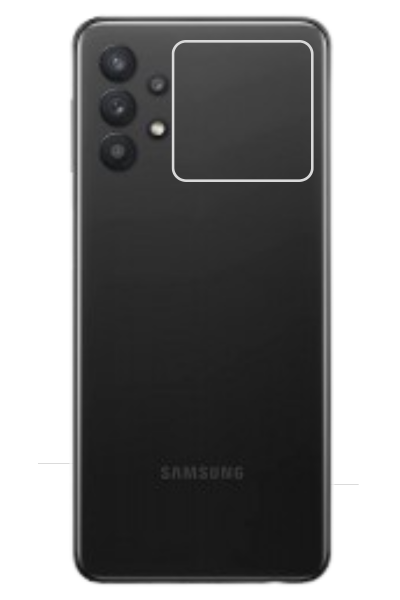
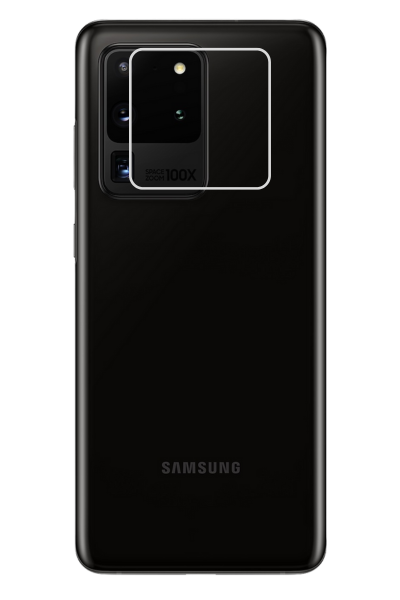
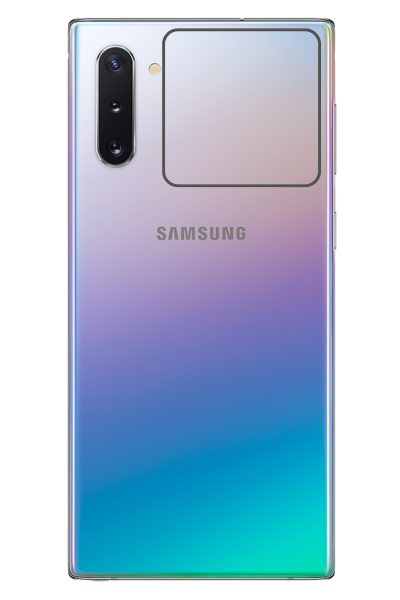
On most Samsung models—including Galaxy S, Note, Z, A, and M series—the NFC antenna is located on the back of the phone, typically around the center or just below the rear camera.
- 📌 Galaxy S series – Near the top-center of the back
- 📌 Galaxy Fold – Top-half of the rear panel
- 📌 Galaxy A & M series – Middle to upper-back region
📶 Where to Tap for Best Results
Hold your phone about 1–2 inches over the NFC tag. Gently move the phone around the center-back area until the connection is established. For best accuracy:
- ✅ Tap slowly and avoid quick motions
- ✅ Try both horizontal and vertical orientations
- ✅ Ensure your phone case is not too thick

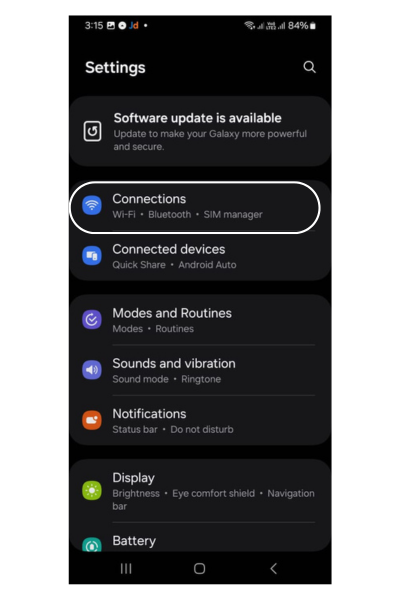
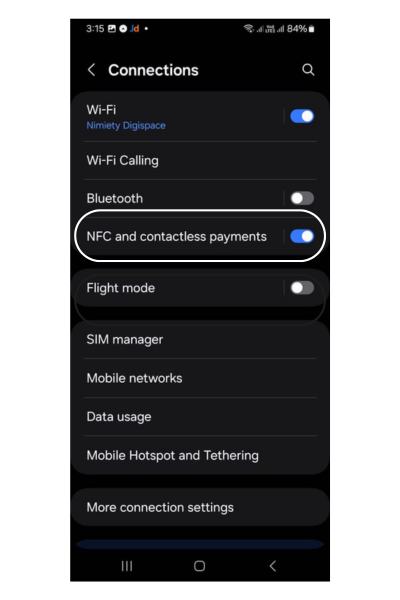
⚙️ How to Enable NFC on Samsung
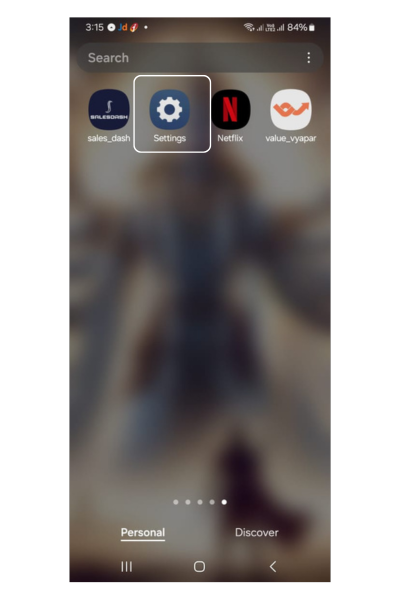
- Go to Settings → Connections
- Select NFC and Contactless Payments
- Toggle the switch to ON
You can also use the quick toggle in your notification panel:
- 🔽 Swipe down twice to open Quick Settings
- 🔘 Tap on the NFC icon to enable or disable
Step 1
Step 2
Step 3
💡 Additional Tips
- 🔓 Your phone must be unlocked for NFC to work
- 📲 Use apps like NFC Tools or NXP TagInfo to test tags
- 📱 The exact position may vary slightly by model—adjust slowly