

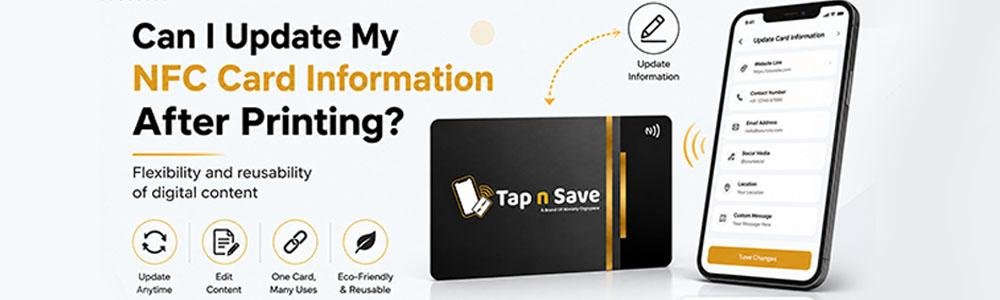
One of the biggest advantages of NFC Business Cards is that you can update your information even after the card has been printed.
Unlike traditional paper visiting cards, where you need to print a new batch whenever your phone number, email, or website changes, NFC cards are linked to a digital profile that can be edited anytime.
At Tap n Save, customers can update their digital profile unlimited times without replacing their physical NFC card.
📌 Quick Answer
Yes, most NFC Business Cards can be updated after printing. The physical card remains the same while the linked digital profile can be edited anytime to update contact details, social media links, websites, payment information, and more.
How Can an NFC Card Be Updated After Printing?
An NFC Business Card does not permanently store all your information inside the chip.
Instead, the NFC chip points to your digital profile or webpage. When someone taps your card, the phone opens this profile.
This means you can change the content of the profile at any time without changing the physical card.
- Update phone numbers
- Change email addresses
- Add new social media profiles
- Update company name or designation
- Change website URLs
- Add payment links or QR codes
- Upload brochures or portfolios
Traditional Business Cards vs NFC Business Cards
This flexibility is one of the main reasons professionals are moving away from paper visiting cards.
| Feature | NFC Business Card | Traditional Card |
|---|---|---|
| Update Contact Details | ✔ Anytime | ✖ Reprint Required |
| Change Social Links | ✔ Yes | ✖ No |
| Change Website | ✔ Yes | ✖ Reprint Required |
| Share New Services | ✔ Instantly | ✖ Not Possible |
| Long-Term Cost | Lower | Higher |
What Information Can You Update?
With Tap n Save, you can modify your digital profile as your business grows.
📞 Contact Details
Update your phone number, email, and office address.
🌐 Website
Change your website or landing page whenever needed.
📱 Social Media
Add or remove Instagram, LinkedIn, Facebook, or YouTube links.
💳 Payments
Update UPI IDs, QR codes, and payment links.
📄 Portfolio
Upload brochures, PDFs, product catalogs, or videos.
⭐ Google Reviews
Change or update your Google Review link anytime.
Real-Life Example
Imagine you are a real estate consultant and your office location changes.
If you use traditional visiting cards, you would need to print hundreds of new cards.
With an NFC Business Card, you simply log in and update your address in your digital profile.
Everyone who taps your card from that moment onwards will see the updated information instantly.
How Many Times Can You Update an NFC Card?
This depends on the provider.
♾ Unlimited Updates with Tap n Save
Tap n Save allows customers to update their digital profile unlimited times. You can modify your information whenever your business changes.
This flexibility makes NFC cards a long-term investment for professionals and businesses.
Do I Need to Buy a New Card After Updating My Details?
In most cases, no.
The physical NFC card remains exactly the same. Only the information displayed through your digital profile changes.
This saves money and ensures your customers always have access to your latest details.
Frequently Asked Questions
-
Can I change my phone number after printing my NFC card?
Yes. You can update your phone number anytime through your digital profile. -
Can I update my website or social media links?
Yes. Most NFC Business Cards allow you to update websites and social media profiles whenever needed. -
Do I need to buy a new NFC card after updating my information?
No. The physical card remains the same. -
How many times can I update my profile?
Tap n Save allows unlimited profile updates. -
Is there any fee for updating information?
Tap n Save charges an affordable annual renewal of ₹99 for PVC and Metal NFC Business Cards.
Get an NFC Card That Grows with Your Business
Update your contact details, social media, website, and payment links anytime with Tap n Save NFC Business Cards.
Explore NFC Business Cards →