
Tap N Save has been great so far
Tap N Save provides incredible support, and the help center are a great way to learn, take action, and build your business. I can't wait to get started and make a positive impact in people's lives. Tap N Save offers a strong sense of community for us as entrepreneurs.

🍏 How to Use NFC on Apple (iPhone) Devices
📍 NFC Chip Location
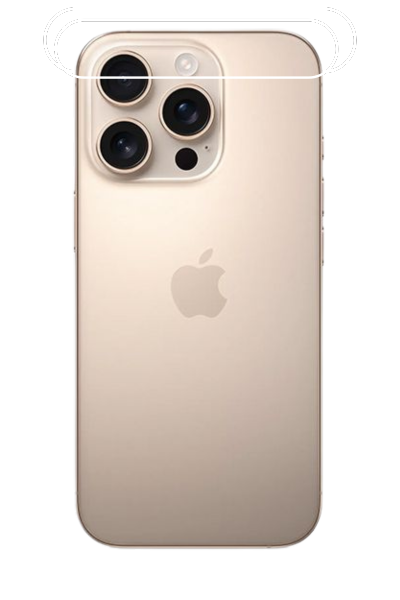
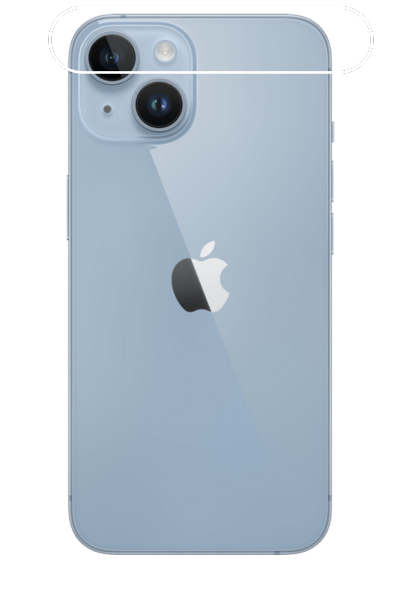
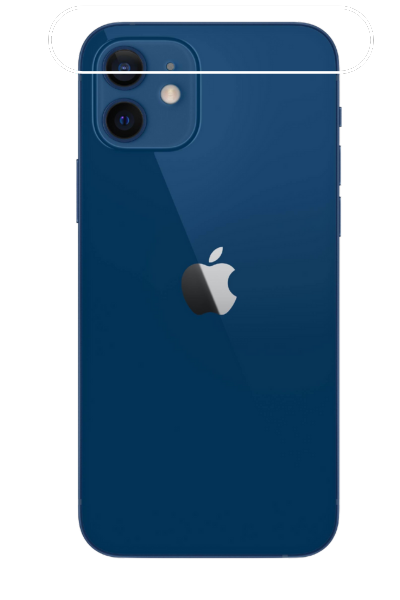
On iPhones, the NFC antenna is generally located at the top-center of the device, near the front-facing camera or the Apple logo on the back, depending on the model:
- 📌 iPhone 7 to iPhone X – Top front near the earpiece
- 📌 iPhone XR, XS, 11, 12, 13, 14, 15 – Around the Apple logo
📶 Where to Tap for Best Results
For iPhones, hold the top-back portion of the device near the NFC tag and gently adjust position until it reads. Tips include:
- ✅ Tap the top of the phone to the tag, not the center
- ✅ Avoid metal cases that can block signals
- ✅ Hold still for a second or two
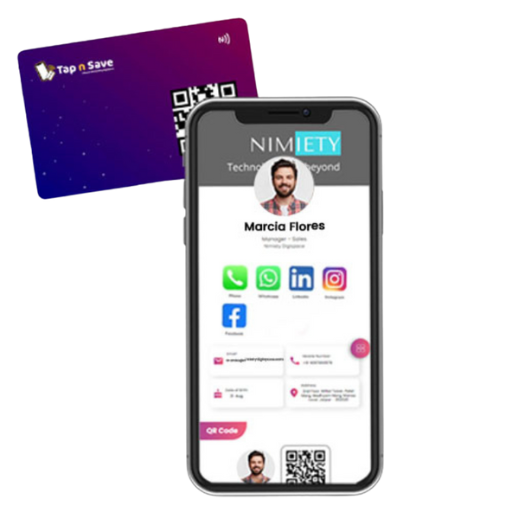
⚙️ How to Enable NFC on iPhone
NFC is automatically enabled on iPhones that support it. However, for manual scanning:
- Open the Control Center
- Tap the NFC Tag Reader icon (if available)
- Hold the iPhone near the NFC tag
To add the icon to Control Center:
- Go to Settings → Control Center
- Tap + next to NFC Tag Reader
💡 Additional Tips
- 🔓 iPhones must be unlocked to use NFC features
- 📲 Only iPhone 7 and later support NFC
- 📱 NFC works best without thick or metal cases